Let’s be real—everyone wants their photos to look awesome, whether you’re posting on Instagram, creating a meme, or just sending something fun to your friends. One of the coolest tricks in photo editing is removing or changing the background.
It’s like magic: you can take a photo from “meh” to “wow” just by swapping out the background.
But hold up, you don’t need to be a Photoshop pro to do this. There are tons of apps that make it super easy to erase backgrounds right from your phone.
Let’s dive into the best photo background eraser apps of 2024 that are totally worth your time.
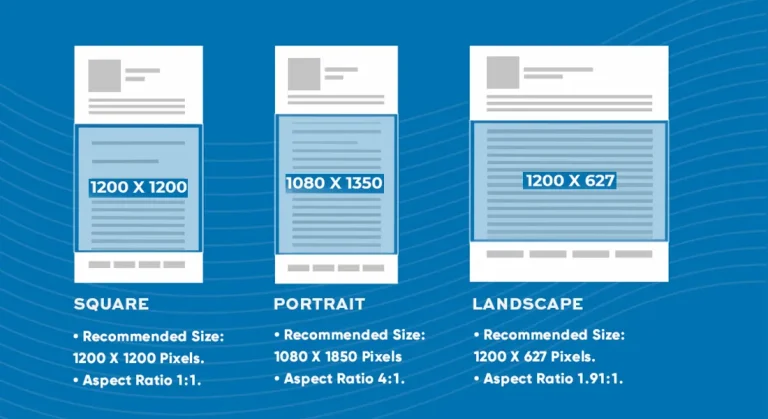
See more articles: A Guide to Facebook and Instagram Post Sizes, Ad Specs, and Photo Dimensions
Table of content
What to Look For in a Background Eraser App
Before we jump into the best apps, let’s talk about what makes a background eraser app worth downloading. Here’s a quick checklist:
- Accuracy: Does it actually do a good job of cutting out the background without messing up the edges? You don’t want your head or hair looking weird.
- Ease of Use: Is it simple to use? No one has time to figure out complicated tools.
- Extra Features: Does the app offer other cool stuff like filters, stickers, or the ability to add new backgrounds?
- Speed: How fast can it get the job done? Some apps can take forever to process your images.
- Free vs. Paid: Is it free, or do you have to shell out cash to get the good stuff?
See more articles: What Is Aperture? Master Aperture in Photography
The Top Background Eraser Apps You Need to Check Out
Alright, let’s get to the fun part. Here’s a list of the best background eraser apps that will take your photos to the next level.
1. PhotoDirector

Why It’s Cool: PhotoDirector is a powerhouse when it comes to mobile photo editing. It’s not just a background eraser—it’s a full-featured photo editor that offers everything you need to create professional-looking images.
From removing backgrounds to adding effects and even animating photos, PhotoDirector is an all-in-one tool that caters to both beginners and advanced users.
What You’ll Love: The app’s AI-driven tools are incredibly effective at detecting and isolating subjects, making background removal a breeze. Once your background is erased, you can take advantage of the app’s extensive editing tools to enhance your photo further.
You can apply filters, add text, stickers, and even create animations that bring your photos to life. The interface is user-friendly, so you can start editing right away without a steep learning curve.
Special Features:
- AI-Powered Background Removal: Automatically detects and removes backgrounds with high precision.
- Animation Tools: Add motion to your photos with easy-to-use animation effects.
- Advanced Filters and Effects: Choose from a wide range of filters, including color adjustments, HDR effects, and more.
- Sky Replacement: Easily replace the sky in your photos with just a tap.
- Object Removal: Remove unwanted objects or blemishes from your photos.
Free or Paid: PhotoDirector offers a free version with a wide array of features. However, to unlock its full potential, including premium effects and tools, you can upgrade to the paid version.
Download Here:
See more articles: 5 Best Hand Grip Camera Straps in 2024
2. PicsArt

Why It’s Cool: PicsArt is more than just a background eraser—it’s a complete creative suite for your photos. With over a billion downloads, it’s one of the most popular photo editing apps available.
Whether you want to remove a background, add filters, create collages, or even draw on your photos, PicsArt has it all.
What You’ll Love: PicsArt’s magic cut-out tool is one of its standout features. It uses AI to automatically detect and remove the background, allowing you to isolate your subject with just a few taps.
Once you’ve erased the background, you can dive into PicsArt’s vast array of editing tools. You can apply filters, adjust colors, add text, and even use the app’s powerful drawing tools to add unique touches to your photos.
The app also offers a huge library of stickers, fonts, and templates, making it a great tool for creating social media content.
Special Features:
- Magic Cut-Out Tool: Quickly remove backgrounds with AI-powered precision.
- Collage Maker: Create custom collages with easy-to-use templates.
- Drawing Tools: Add custom drawings or text overlays to your images.
- Community Features: Join the PicsArt community to share your creations and get inspiration from others.
- Stickers and Filters: Access thousands of stickers, filters, and fonts to enhance your photos.
Free or Paid: PicsArt is free to download and use, but it also offers a premium version called PicsArt Gold. The premium version removes ads and unlocks additional features, including exclusive filters, stickers, and templates.
Download Here:
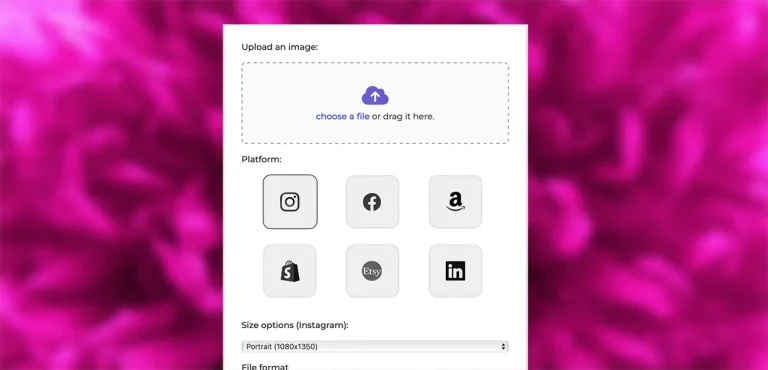
Use our Free Image Resizer
Resize your photos now with the Pro Photo Studio Image Resizer!
3. Adobe Photoshop Express

Why It’s Cool: Adobe Photoshop Express brings the power of Photoshop to your phone, offering a range of tools that are perfect for editing on the go.
It’s not just about removing backgrounds; this app lets you enhance, retouch, and transform your photos with professional-grade tools, all within a user-friendly interface.
What You’ll Love: The background removal tool in Adobe Photoshop Express is highly effective, allowing you to isolate your subject with precision. But the app doesn’t stop there.
It offers a suite of editing tools that let you adjust colors, apply filters, crop and rotate images, and even add text and overlays. Whether you’re fine-tuning a portrait or creating a social media post, Adobe Photoshop Express has the tools you need.
The app also integrates seamlessly with other Adobe products, making it a great choice for users who are already part of the Adobe ecosystem.
Special Features:
- Precise Background Removal: Use powerful tools to remove backgrounds with professional accuracy.
- Photo Retouching: Enhance your photos with tools for red-eye removal, blemish correction, and more.
- Creative Filters and Overlays: Access a wide range of filters and overlays to transform your photos.
- Collage Maker: Create custom photo collages with built-in templates.
- Integration with Adobe Creative Cloud: Easily sync and access your work across different Adobe apps.
Free or Paid: Adobe Photoshop Express is free to download and offers a variety of features at no cost. However, to access premium tools and content, you can upgrade to the paid version.
Download Here:
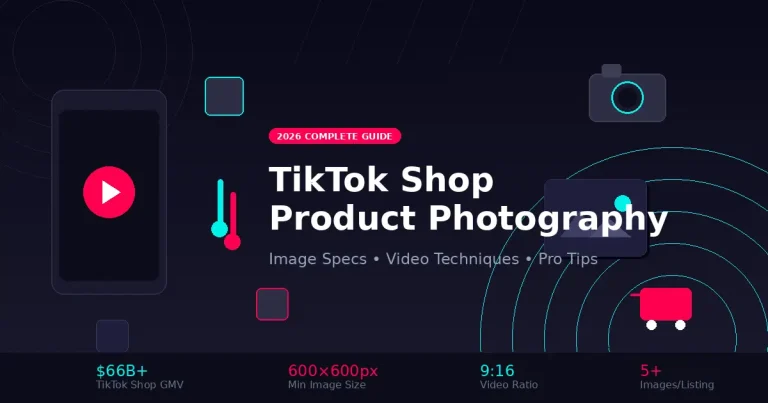
See more articles: TikTok Shop: Revolutionizing E-commerce on Social Media
4. Magic Eraser Background Editor

Why It’s Cool: Magic Eraser Background Editor is a straightforward and highly effective app designed specifically for background removal. If you want an app that focuses on this task and does it exceptionally well, Magic Eraser is a top choice.
It’s especially great for users who want to quickly remove backgrounds without dealing with too many additional features.
What You’ll Love: Magic Eraser is all about simplicity and efficiency. The app’s automatic background detection is quick and accurate, allowing you to isolate your subject in seconds. You can also manually refine the edges if needed, giving you full control over the final result.
Once you’ve removed the background, you can save your image in high resolution with a transparent background, making it perfect for use in further design projects, presentations, or social media posts.
Special Features:
- Automatic Background Removal: Quickly remove backgrounds with AI-driven technology.
- Manual Eraser Tool: Fine-tune your edits with precise control.
- High-Resolution Outputs: Save your edited images in high resolution with a transparent background.
- Easy Interface: User-friendly design makes background removal a breeze.
Free or Paid: Magic Eraser Background Editor is free to use, but it includes ads and has some limitations. For an ad-free experience and additional features, you can upgrade to the premium version.
Download Here:
See more articles: What Is Product Photography? The Ultimate Guide in 2024
Use our Free Image Resizer
Resize your photos now with the Pro Photo Studio Image Resizer!
5. Background Eraser by HandyCloset

Why It’s Cool: Background Eraser by HandyCloset is a specialized app designed specifically for background removal. It’s a lightweight and easy-to-use app that’s perfect for users who want a simple, focused tool without any unnecessary features.
If you’re looking for an app that does one thing exceptionally well, Background Eraser is a fantastic choice.
What You’ll Love: This app provides both automatic and manual modes for background removal, giving you flexibility based on the complexity of your image. The auto mode is great for quickly erasing simple backgrounds, while the manual mode lets you carefully control the erasing process, making it ideal for more detailed work.
You can zoom in and out, undo mistakes, and use the restore tool to bring back parts of the background if needed. Once you’re done, you can save your image with a transparent background, making it perfect for use in further design work.
Special Features:
- Auto and Manual Modes: Choose between automatic background removal or manual erasing for more control.
- Zoom and Undo Options: Fine-tune your work with zoom and undo capabilities.
- Restore Tool: Easily restore parts of the background if you erase too much.
- Simple Interface: The straightforward design makes it easy to use, even for beginners.
Free or Paid: Background Eraser by HandyCloset is free to use but includes ads. You can remove ads with a one-time purchase, and the app remains lightweight and efficient.
Download Here:
See more articles: 25 Top Couple Poses for Portrait Photography
Background Eraser For Your Images
These five apps represent the best tools available in 2024 for removing photo backgrounds with ease and precision.
Each one offers unique features that cater to different needs, whether you’re a professional designer or just looking to enhance your social media posts. By choosing the right app, you can take your photo editing skills to the next level and create images that truly stand out.
So, download one (or more) of these apps and start experimenting with your photos today. With the right tools at your fingertips, the possibilities are endless!
FAQs
For beginners, PhotoDirector is one of the best background eraser apps available. It offers an intuitive interface combined with powerful AI-driven tools that make background removal easy, even for those with no prior editing experience. The app automatically detects the subject and separates it from the background, making the process quick and hassle-free. Plus, PhotoDirector includes additional features like filters, text, and stickers, which help you create stunning images with minimal effort.
Yes, it is possible to remove a background from a photo without losing quality, especially when using high-quality background eraser apps like Adobe Photoshop Express and Magic Eraser Background Editor. These apps are designed to maintain the resolution of your image while precisely removing the background. To ensure the best quality, always save your edited images in a high-resolution format such as PNG, which supports transparent backgrounds.
Yes, PicsArt is a free background eraser app that offers a wide range of advanced features. While the basic version is free and includes powerful tools for background removal, users can access additional features like premium filters, stickers, and templates by subscribing to PicsArt Gold. The free version is more than sufficient for most users, especially if you’re looking for a comprehensive photo editing app that goes beyond just background removal.
To manually erase a background, you can use apps like Background Eraser by HandyCloset. This app provides both automatic and manual modes for background removal. In manual mode, you can zoom in on the image and carefully erase the background using your finger or stylus. The app also includes an undo function, so you can correct any mistakes as you work. Manual erasing is ideal for images with complex edges, such as hair or fur, where precision is key.
Yes, you can remove backgrounds from multiple images at once, but this feature is typically available in premium or desktop versions of background eraser tools. For instance, Magic Eraser Background Editor and Adobe Photoshop Express offer batch processing capabilities, allowing you to remove backgrounds from several photos simultaneously. This feature is especially useful for professionals who need to process a large number of images quickly and efficiently.
if you’re looking to increase your online conversion but still feel you are not sure where to start – check out these resources below: