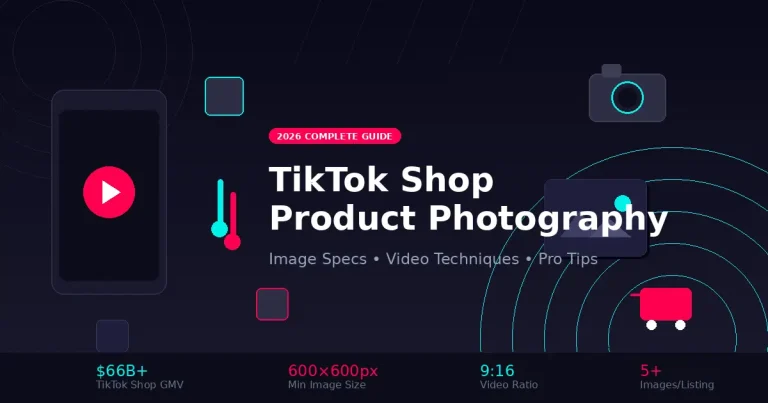
TikTok Shop Product Photography
Master the visual content that drives $66+ billion in TikTok Shop sales. From image specs to viral video techniques.
TikTok Shop has exploded into a $66+ billion marketplace, and the visual content you create is the difference between scrolling past and stopping to buy. Unlike traditional ecommerce platforms where static white-background images reign supreme, TikTok demands dynamic, authentic, scroll-stopping visuals that feel native to the platform.
Whether you're launching your first TikTok Shop or optimizing an existing store, this comprehensive guide covers everything from technical specifications to creative techniques that drive conversions in 2026. We've compiled insights from TikTok's official seller guidelines, top-performing shops, and professional product photography best practices.
📋 What You'll Learn
- TikTok Shop image & video technical specifications
- Equipment setup for different budgets
- Lighting techniques for product content
- Static images vs. video: what converts better
- Live Shopping visual best practices
- Common mistakes to avoid
📐 TikTok Shop Technical Specifications
Before diving into creative techniques, you need to nail the technical requirements. TikTok categorizes product listings into three tiers—Poor, Fair, and Good—and your image quality directly impacts which tier you achieve. Listings in the "Good" tier receive better algorithmic visibility and higher conversion rates.
| Specification | Product Images | Video Content |
|---|---|---|
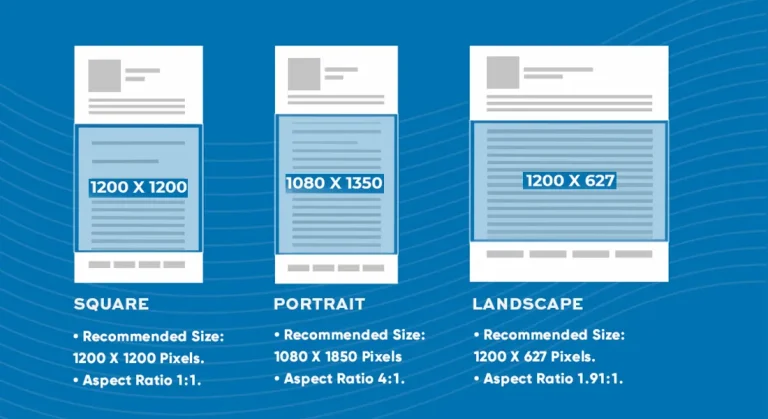
| Resolution | Min 600×600px (800×800+ recommended) | 1080×1920px (Full HD vertical) |
| Aspect Ratio | 1:1 (square) | 9:16 (vertical) preferred |
| File Format | JPEG, PNG, JPG | MP4, MOV (H.264 codec) |
| Max File Size | 5MB per image | 500MB (desktop upload) |
| Quantity | Max 9 images per listing | Up to 10 minutes (15-60s optimal) |
| Background | White or neutral recommended | Contextual/lifestyle preferred |
TikTok recommends uploading at least 5 high-quality images per product. Listings with fewer than 5 images are automatically categorized as "Fair" or "Poor" tier, limiting your visibility in search results and recommendations.
📸 Equipment Setup by Budget
One of the most common questions we hear is whether you need expensive gear for TikTok Shop. The short answer: no. TikTok's audience actually responds better to authentic, relatable content than over-produced commercial imagery. That said, the right equipment makes your workflow faster and more consistent. For those interested in professional setups, check out our guide on DSLR vs Mirrorless cameras for deeper comparisons.
- Smartphone (existing)
- Mini tripod with phone mount
- Clip-on ring light
- White foam board backdrop
- Natural window light
- Smartphone or entry DSLR
- Full-size tripod with fluid head
- 18" ring light with stand
- Portable softbox kit (2 lights)
- Collapsible backdrop system
- Basic wireless microphone
- Mirrorless camera (Sony, Canon)
- 35mm or 50mm prime lens
- Professional LED panels
- Motorized turntable for 360°
- Wireless lavalier mic system
- Lightbox or cyclorama setup
🎬 Types of TikTok Shop Visual Content
TikTok Shop supports multiple content formats, and the most successful sellers use a strategic mix. Understanding when to use each format is key to maximizing your conversions. If you're looking to enhance your visuals with AI tools, our guide on AI Product Photo Tools covers the latest options for background generation and image enhancement.
Product Listing Images
Static images that appear in your TikTok Shop catalog. These are the foundation of your product presence.
Shoppable Videos
Videos with embedded product links that let viewers purchase directly without leaving the content.
Live Shopping Events
Real-time streaming where viewers can purchase pinned products instantly during the broadcast.
Video Shopping Ads
Paid promotion of your shoppable videos to reach beyond your organic audience.
⚖️ Static Images vs. Video: What Converts Better?
This is the million-dollar question, and the answer depends on your product category and sales funnel stage. Our research aligns with what we found when creating AI Product Photography content—different formats serve different purposes.
🖼️ Static Product Images
✅ Advantages
- Faster to produce at scale
- Easier to maintain consistency
- Essential for catalog/search browsing
- Lower production costs
- Works with AI enhancement tools
❌ Limitations
- Less engaging in For You feed
- Can't show product in action
- Limited storytelling capability
- Lower share/save rates
🎥 Shoppable Video Content
✅ Advantages
- Native to TikTok's format
- Higher engagement rates
- Demonstrates product value
- Builds trust with authenticity
- Viral potential
❌ Limitations
- More time-intensive to create
- Requires on-camera presence
- Higher skill barrier
- More editing required
🎯 The Verdict
Use static images for your product catalog foundation (TikTok requires them). Use video content for discovery and conversion. The most successful TikTok shops post 3-5 shoppable videos per week while maintaining high-quality static listings. Video viewers are 1.5x more likely to purchase than those who only see static images.
💡 Lighting Techniques for TikTok Shop
Lighting can make or break your TikTok Shop visuals. The platform's younger audience has developed a sophisticated eye for quality, and poor lighting is one of the fastest ways to trigger a scroll-past. Whether you're using AI photo generator tools for backgrounds or shooting everything manually, proper lighting is non-negotiable.
Recommended Lighting Setups
Natural Window Light
Position your setup perpendicular to a large window. Use a white reflector or foam board on the opposite side to fill shadows. Best for lifestyle and authentic content.
Cost: FreeRing Light Setup
18" ring light directly in front, camera shooting through the center. Creates even, flattering light for face-to-camera content and product demonstrations.
Cost: $30-$80Two-Light Softbox
Key light at 45° angle, fill light opposite at lower intensity. Professional look for static product shots. Add a third backlight for separation from background.
Cost: $80-$200📺 Live Shopping Visual Best Practices
Live Shopping events can drive massive sales—some top TikTok sellers generate over $100K in a single live session. But the visual setup is critical. Unlike pre-recorded video where you can edit mistakes, live shopping is unforgiving. Similar to how posing techniques matter in portrait photography, your on-camera presence and setup directly impact conversions.
✅ Live Shopping Setup Checklist
🚫 Common TikTok Shop Photography Mistakes
TikTok blocked 37 million product listings last year, many due to image quality issues. Even if your listings aren't removed, poor visuals will tank your conversion rates. Here are the mistakes we see most frequently—including issues that can be solved with a background remover tool.
❌ Low Resolution Images
Images under 600×600px get auto-flagged. Blurry or pixelated images scream "untrustworthy" to buyers.
❌ Watermarks & Promotional Text
TikTok prohibits watermarks, logos, and promotional text overlays on product images. This can get your listing rejected.
❌ Cluttered Backgrounds
Messy or distracting backgrounds pull attention from your product. Use clean white or neutral backgrounds for listings.
❌ Inconsistent Lighting
Mixed color temperatures (warm + cool) or harsh shadows make products look unprofessional and colors inaccurate.
❌ Too Few Images
Listings with fewer than 5 images are categorized as "Poor" or "Fair" tier, limiting visibility in search and recommendations.
❌ Horizontal Video Format
Uploading 16:9 horizontal videos results in black bars and poor user experience. Always shoot 9:16 vertical.
🛠️ Post-Production Workflow & Tools
Even with perfect shooting technique, post-production polishes your content to conversion-ready quality. The right tools can cut your editing time in half while improving results. For sellers managing their own web presence, integrating these tools with full stack web development can create powerful automated workflows.
| Tool | Best For | Price |
|---|---|---|
| CapCut | TikTok-native video editing, effects, templates | Free / $7.99/mo Pro |
| Canva | Quick image resizing, templates, basic edits | Free / $12.99/mo Pro |
| Photoroom | AI background removal, lifestyle scene generation | Free / $12.99/mo Pro |
| Lightroom Mobile | Professional color correction, presets | Free / $9.99/mo Premium |
| Pro Photo Playground | Studio-quality AI editing, background generation | From $50/mo |
Your TikTok Shop visuals can be repurposed for email campaigns. Check out our guide on Mailchimp alternatives to find the best platform for your e-commerce email marketing.
❓ Frequently Asked Questions
TikTok Shop requires images with a minimum resolution of 600×600 pixels, though 800×800 or higher is recommended for optimal quality. Images must be in JPEG or PNG format, with a maximum file size of 5MB. You can upload up to 9 images per product listing.
The optimal video specification is 1080×1920 pixels (9:16 vertical aspect ratio) in MP4 or MOV format. Videos can be up to 10 minutes long, though 15-60 seconds performs best for product content. Keep file sizes under 500MB and use H.264 codec with AAC audio.
No, you don't need professional equipment to start. Modern smartphones with good cameras (iPhone 12+ or equivalent Android) can produce quality content. However, investing in basic lighting (ring light or softbox), a tripod, and a clean background will significantly improve your results.
TikTok recommends uploading at least 5 high-quality images per product to achieve "Good" tier listing status. You can upload a maximum of 9 images total. Include multiple angles, detail shots, scale reference images, and lifestyle photos showing the product in use.
For static product photos, use soft, diffused lighting from a 45-degree angle with a fill light or reflector opposite. For video content, ring lights work well for even facial lighting during demonstrations. Natural window light is excellent for lifestyle content. Avoid harsh shadows and mixed color temperatures.
🎯 Final Thoughts: Your TikTok Shop Visual Strategy for 2026
TikTok Shop is fundamentally different from Amazon, Etsy, or traditional ecommerce platforms. The platform rewards authenticity, entertainment, and scroll-stopping creativity over polished commercial perfection. That said, "authentic" doesn't mean low-quality—it means relatable, engaging, and trustworthy content that resonates with TikTok's young, discerning audience.
The sellers dominating TikTok Shop in 2026 will be those who master both the technical specifications (getting those "Good" tier listings with proper image resolution and multiple angles) and the creative storytelling that makes the For You page algorithm favor their content. You need professional-quality static images for your catalog AND engaging video content that converts scrollers into buyers.
Consider the investment in quality visuals as the highest-ROI marketing spend you can make. Studies show that TikTok users are 1.5x more likely to purchase after discovering products on the platform compared to other social media channels. With projected GMV reaching $66+ billion in 2025 alone, the opportunity is massive for sellers who take their visual content seriously. Don't let poor photography be the reason you miss out on this explosive growth.
Remember the key numbers: minimum 600×600 pixels for images (800×800+ recommended), at least 5 images per listing to achieve Good tier status, 9:16 vertical aspect ratio for all video content, and 3-5 shoppable videos per week for optimal algorithmic visibility. These aren't arbitrary guidelines—they're the foundation of TikTok Shop success that separates thriving sellers from struggling ones.
Whether you're shooting on a smartphone with a ring light or working with a professional studio like Pro Photo Studio, the principles remain the same: clean backgrounds for listings, proper lighting that flatters your products, multiple angles that answer buyer questions before they're asked, and authentic video content that demonstrates real value. Nail these fundamentals, and you're already ahead of 80% of TikTok Shop sellers who are still uploading blurry photos with cluttered backgrounds. Start implementing these strategies today.
📋 Quick Reference: TikTok Shop Visual Checklist
Ready to Level Up Your TikTok Shop Visuals?
Professional product photography can increase your TikTok Shop conversions by up to 40%. Let Pro Photo Studio handle your visuals while you focus on growing your business.
Get Started with Pro Photo Studio →✓ Professional on-white photography ✓ TikTok-optimized content ✓ AI-powered editing tools
if you’re looking to increase your online conversion but still feel you are not sure where to start – check out these resources below: